Everything you watch,
on one shelf.
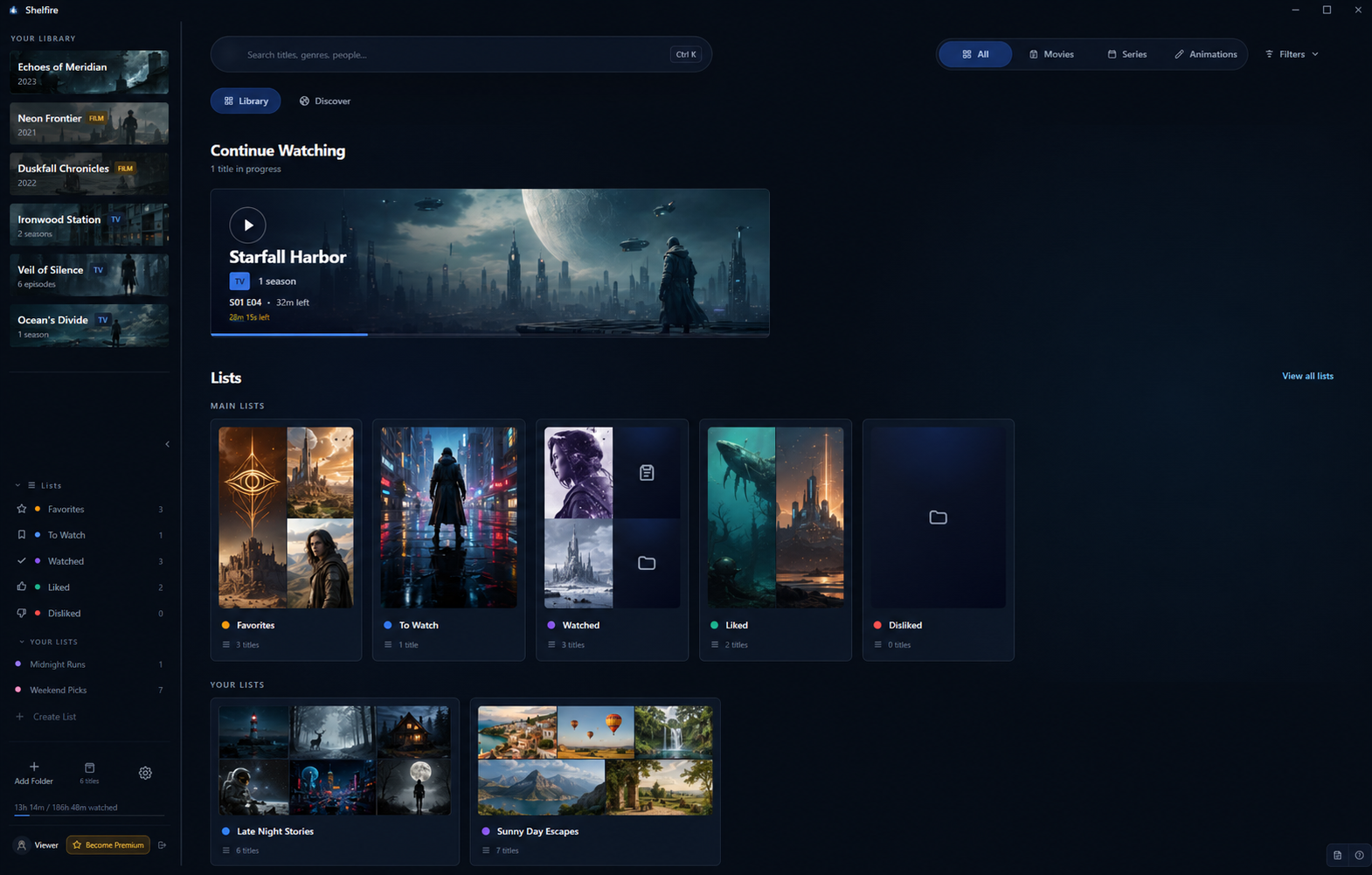
Shelfire turns the video files on your drive into a real library. Subtitles and audio tracks at hand, picking up right where you paused.
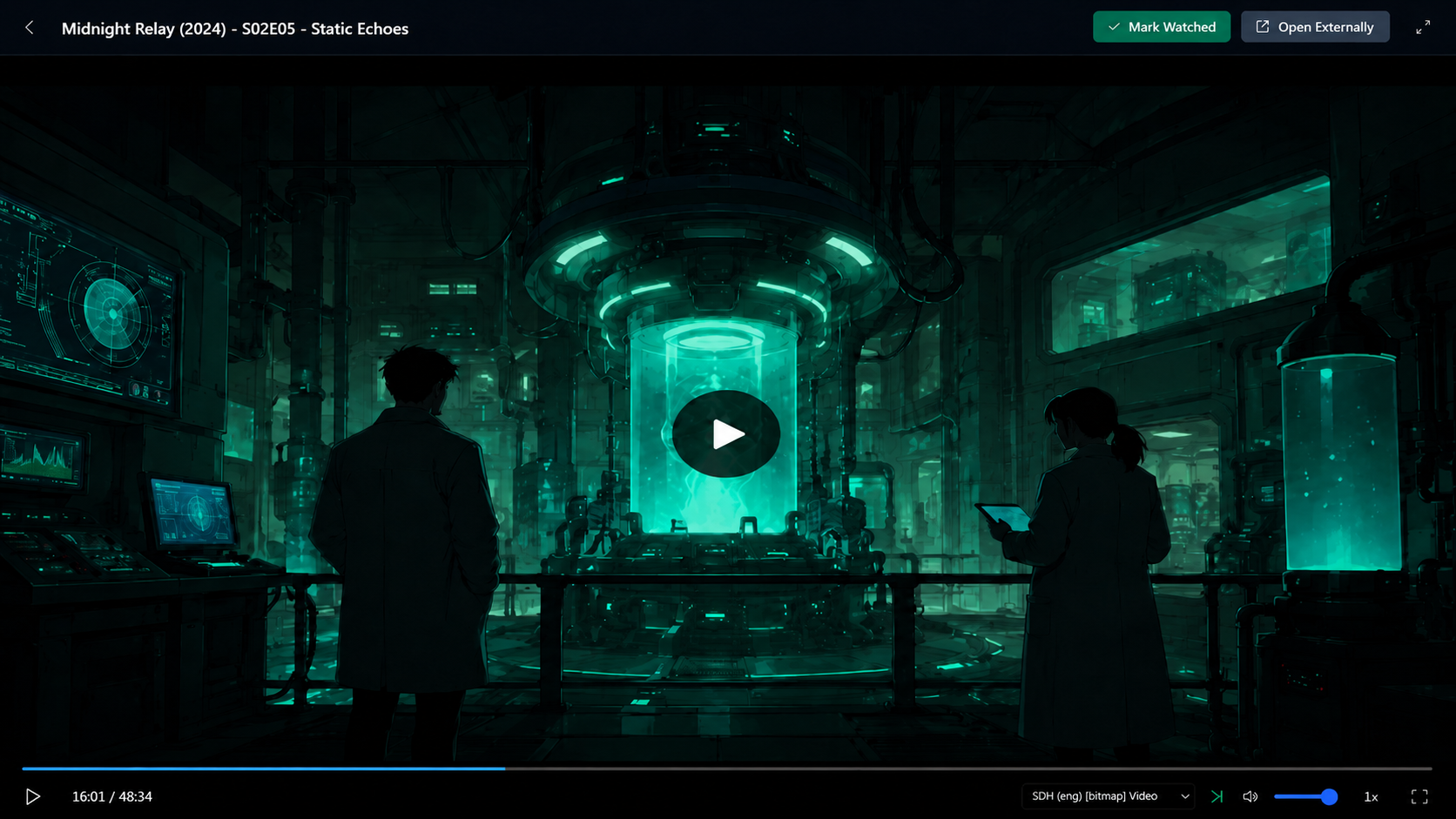
Built for marathons.
Full-featured player with subtitle and audio-track control, automatic resume, autoplay next, and theater mode. External .srt and .ass files just work.
Every episode,
accounted for.
Watched, unwatched, partially watched: Shelfire keeps a precise picture of where you are in every series. Continue Watching surfaces what to play next, in seconds.
- Per-episode watched state
- Progress bars to the second
- Overall library % completion
- Cloud save across devicesPremium

Make it yours.
Favorite a title. Drop it on your To Watch pile. Build custom lists with colors and covers. Rate things out of 5 stars and like or dislike anything you've finished.
Six themes.
Pick your mood.
Switch between visual themes anytime. Interface in 12 languages: English, Português (BR/PT), Español, Français, Deutsch, Italiano, 日本語, 한국어, 简体中文, Русский, Українська. Resizable sidebar that remembers your preferred width.
Your shelf, wherever you watch.
Cloud save is a Premium feature. Upgrade and sign in with Google to save your library, progress, ratings, and lists across every device running Shelfire: laptop in the kitchen, desktop in the office, tablet on the couch.
Free, forever.
Everything you need to manage and watch your library lives on your machine. Free, forever. Premium adds cloud save so your progress, lists and ratings follow you between devices.
- Unlimited local library
- Full video player
- Catalog browse & add
- Local progress tracking
- Custom lists, favorites & ratings
- 3 free themes (Dark, Black, Light)
- Everything in free
- Cloud save: progress, lists & ratings
- Sync across all your devices
- 3 premium themes (Dracula, Nord, Sepia)
Questions? Answered.
Is Shelfire free?
Yes. The local library, full video player, and progress tracking are free forever, no account or card required. Premium ($3/month) adds optional cloud sync.
Which platforms does Shelfire support?
Windows 10 and later (64-bit and 32-bit) and Linux (AppImage). A macOS version is on the way.
Does Shelfire download or stream shows?
No. Shelfire organizes and plays the video files already on your own drive: it is a local player and tracker, not a source of content.
Where is my data stored?
On your machine. Cloud sync is optional, Premium-only, and end-to-end encrypted, so your library and progress stay private.
What subtitle and audio formats work?
Embedded subtitle and audio tracks plus external .srt and .ass files. AI can translate subtitles or transcribe audio with OpenAI or Gemini when no text track exists.
What languages does Shelfire support?
The interface is available in 12 languages, including English, Portuguese, Spanish, French, German, Italian, Japanese, Korean, Chinese, Russian, and Ukrainian.
Need a hand? Reach us.
Questions, bug reports, or feature ideas? Send a message and we'll get back to you by email.